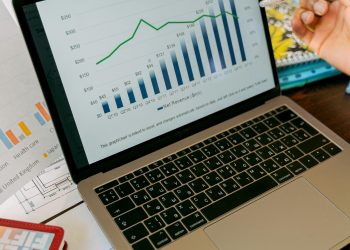


Are you looking to elevate your trading game and make informed financial decisions? If so, “Unlock Your Potential: Master TradingView Today!” is the perfect guide for you. TradingView is a powerful platform that provides traders and investors with analytical tools to enhance their market strategies. Understanding how to effectively navigate and utilize TradingView can drastically improve your trading performance. In this comprehensive article, we’ll explore the ins and outs of TradingView, from setting up your account to mastering its advanced features. Let’s start on this journey to unlock your potential as a trader!
What is TradingView?
TradingView is a web-based platform that enables users to analyze financial markets. With real-time charts, technical indicators, and a vibrant community of traders, TradingView caters to both novice and experienced traders. Its user-friendly interface and feature-rich ecosystem make it an invaluable tool for anyone looking to excel in the trading world. Here are some key features of TradingView:


- Real-Time Data: Access to live quotes and data from various exchanges worldwide.
- Advanced Charting Tools: Dynamic charts that support various types of analysis including candlestick, line, or bar charts.
- Technical Indicators: A wide range of built-in indicators such as moving averages, MACD, RSI, and Fibonacci retracements.
- Customization Options: Personalize your charts and layouts to match your trading style and preferences.
- Community Features: Engage with other traders through shared ideas, scripts, and discussions.
Getting Started with TradingView
Creating an Account
To unlock the full potential of TradingView, you first need to create an account. The process is straightforward:
- Visit the TradingView website.
- Click on the “Sign Up” button.
- Choose a registration method (email, Google, or Facebook).
- Complete the required information and confirm your email address.
- Explore free features or select a subscription plan for advanced tools.
Understanding the User Interface
Once logged in, familiarize yourself with the TradingView interface. The platform’s layout consists of various panels including:
- The Chart Panel: Where you can view and analyze market data.
- The Symbol Search Bar: Quickly find different assets to trade.
- The Watchlist: A customizable list where you can manage assets of interest.
- News and Ideas Panel: Stay updated with the latest news impacting the markets.
Mastering Chart Analysis
Basic Charting Techniques
TradingView’s powerful charting tools allow traders to analyze market trends effectively. Here are some essential techniques:
- Understanding Price Action: Observe and analyze the movement of price within a specific timeframe.
- Using Candlestick Patterns: Recognize patterns such as Doji, Engulfing, and Hammer to forecast potential market movements.
- Identifying Support and Resistance Levels: Mark key price levels where the market tends to reverse direction.
Utilizing Technical Indicators
Incorporating technical indicators can significantly enhance your trading strategy. The following are commonly used indicators in TradingView:
- Moving Averages: Smooth out price data to identify trends.
- Relative Strength Index (RSI): Measure the speed and change of price movements to identify overbought or oversold conditions.
- MACD (Moving Average Convergence Divergence): Helps in identifying momentum shifts in the market.
Customizing Your Charts
Using Chart Styles
Every trader has their unique preferences when it comes to chart styles. TradingView offers various options:
- Candlestick Charts: Ideal for visualizing price action.
- Line Charts: Simplified view of price movement over time.
- Area Charts: Effective for understanding trends in a more visually appealing manner.
Saving and Sharing Chart Layouts
You can save your customized chart layouts for future access. Additionally, TradingView allows you to share your charts with others:
- Save Your Layout: Click on the “Save” icon to keep your customized settings.
- Share Links: Create shareable links to your chart ideas for community engagement.
Engaging with the Trading Community
One of TradingView’s standout features is its community. Interacting with other traders can provide valuable insights and enhance your learning:
- Follow Other Traders: Learn from successful traders by following their ideas and techniques.
- Join Discussions: Participate in forums and discussions to ask questions and share knowledge.
- Post Ideas: Share your analysis and trading strategies to receive feedback from the community.
Using TradingView for Trading
Setting Alerts
Alerts are crucial for staying updated on market movements without constantly monitoring charts. Here’s how to set them up:
- Right-click on the chart at your desired price point.
- Select “Add Alert.”
- Customize the alert conditions based on price movements or indicators.
- Choose how you want to be notified (e.g., email, SMS, pop-up).
- Click “Create” to activate the alert.
Using the Paper Trading Feature
Before risking real capital, consider utilizing TradingView’s paper trading feature. This allows you to simulate trades and test strategies without financial risk:
- Access Paper Trading: Connect to a paper trading account from your profile settings.
- Execute Trades: Practice placing buy and sell orders to understand the trading process.
- Analyze Results: Review your performance to refine your strategy.
Q&A About TradingView
What is the cost of TradingView?
TradingView offers a free version with limited features, alongside various subscription plans—Pro, Pro+, and Premium—with additional capabilities such as more indicators, increased data access, and advanced charting tools.
Is TradingView suitable for beginners?
Absolutely! TradingView’s user-friendly interface and extensive educational resources make it an excellent choice for beginners looking to learn trading and technical analysis.
Can I use TradingView on mobile?
Yes, TradingView can be accessed via a mobile app available for iOS and Android, allowing you to trade and monitor markets on the go.
Conclusion
Mastering TradingView is a strategic way to elevate your trading skills and unlock your full potential in the financial markets. By understanding its features—from chart analysis to community engagement—you’ll position yourself for success. Embrace the tools and resources available on TradingView, and watch as you transform into a confident trader capable of making informed decisions. Ready to start your TradingView journey? Dive into the platform today and discover the power of informed trading!
For further resources, tips, and articles, click here to explore our blog.